




 Agent Familarization Trips
 The Return
 The Reign Collection
 The Private Journeys
 The transformative collection
Get Started
How to Register as a Travel Agent with Culture Holidays?
Step :- 1
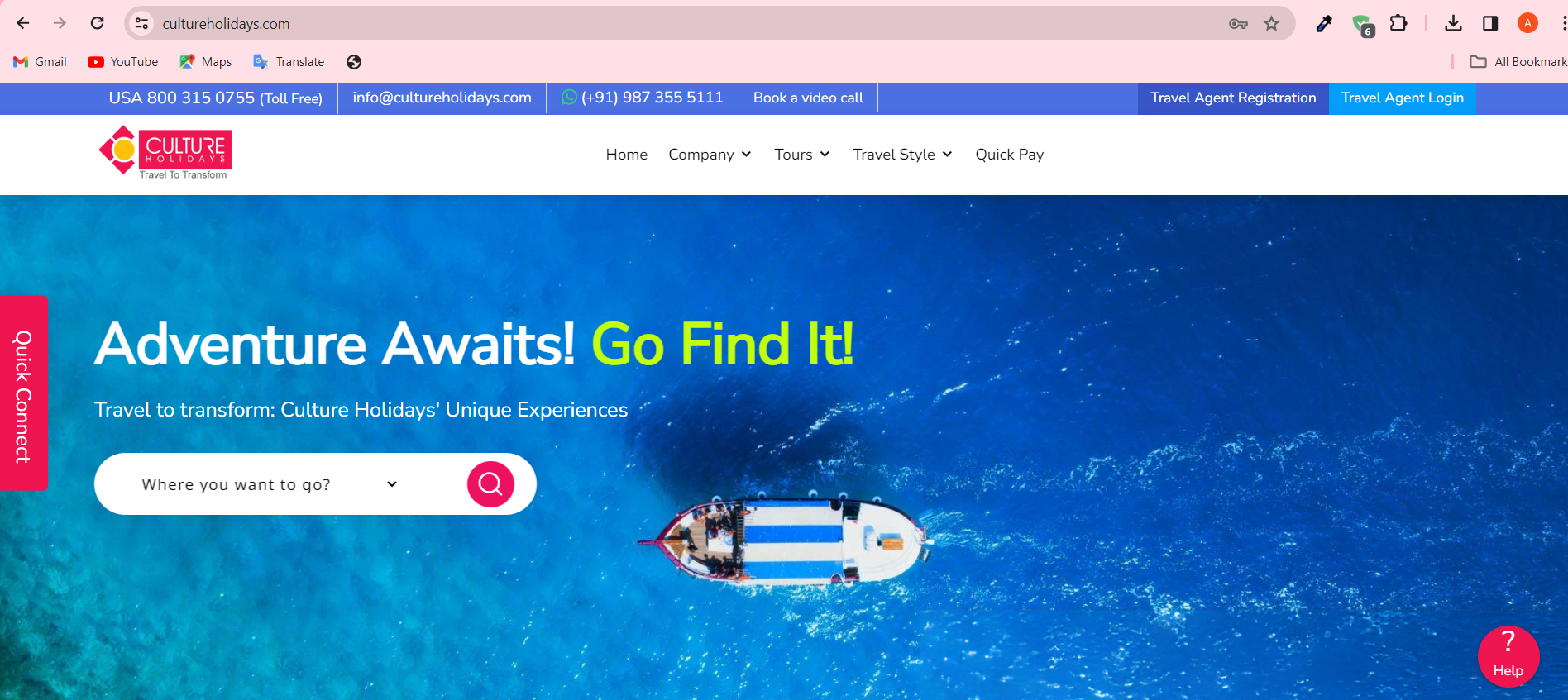
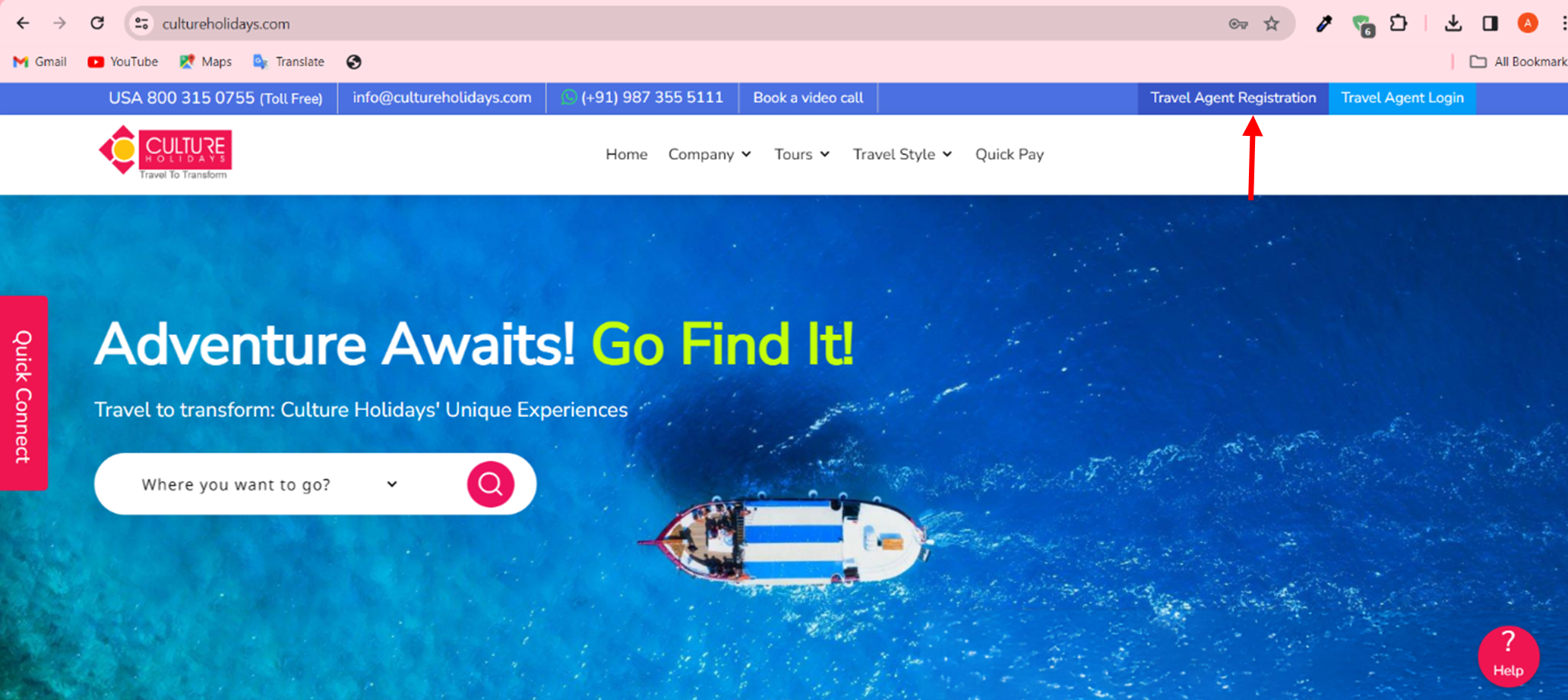
Visit Cultureholidays.com
Click on the link to visit the website- https://cultureholidays.com/
Step :- 2
Go to Travel Agent Registration
Click on the ‘Travel Agent Registration’ option given at the top of the home page.
Step :- 3
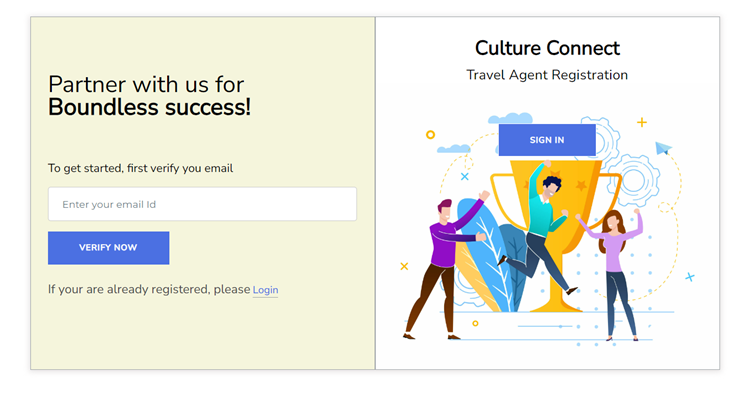
Verify Now
Enter your email ID and click on the ‘Verify Now’ button.
Step :- 4
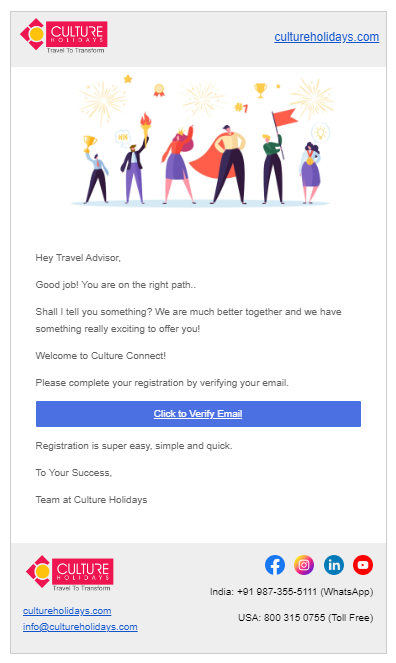
Check Your Email
Go to your email and click on the ‘Click to Verify Email’ button to complete the verification process.
Step :- 5
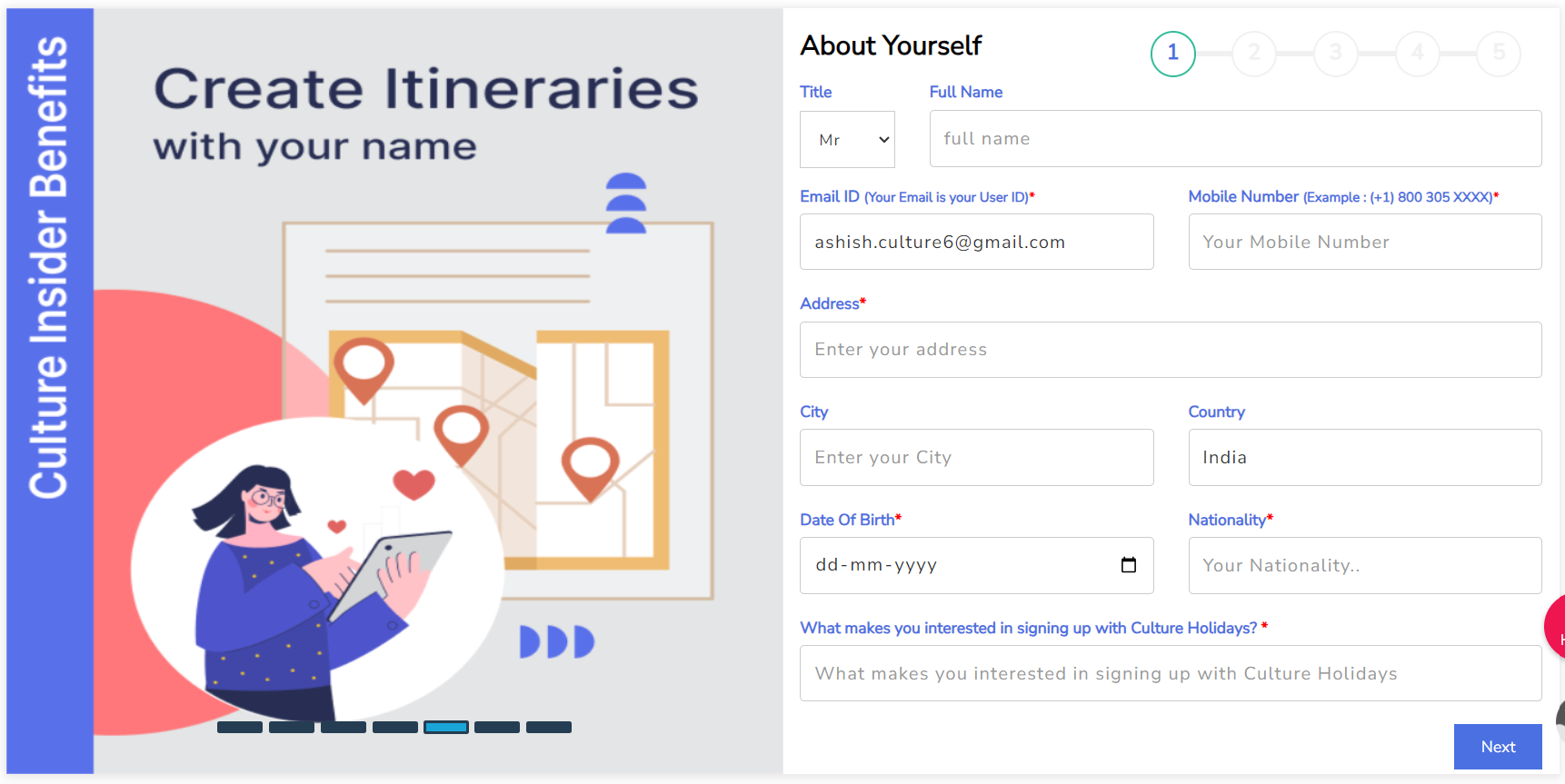
Fill Out the Registration Form
Fill in relevant details to complete the registration process. Choose the title – ‘Mr., Ms., or Mrs.’ from the drop-down list and then enter your full name, email ID, mobile number, and your address. Now, enter your city and country and write your date of
Step :- 6
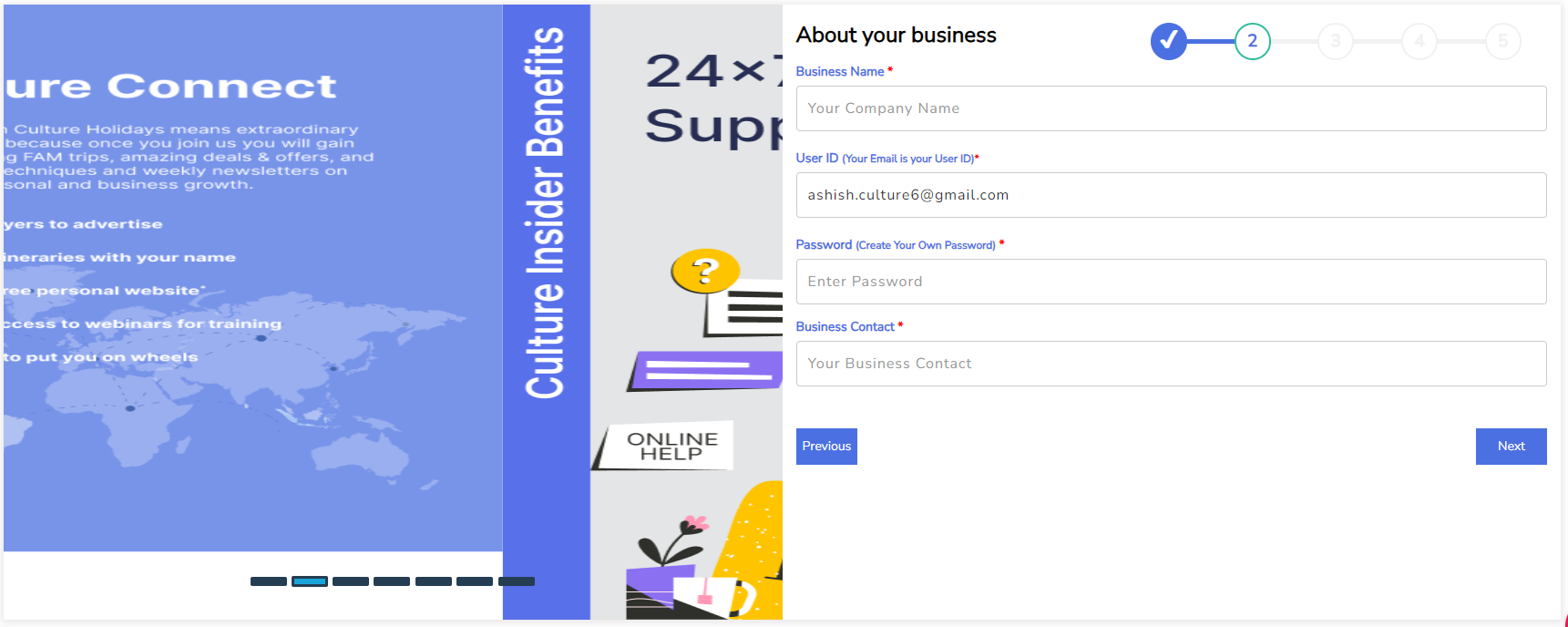
Complete ‘About Your Business’ Step
Enter your company name and User ID (Your email is your user ID). Create your own password, provide your business contact, and click on the ‘Next’ button to proceed further.
Step :- 7
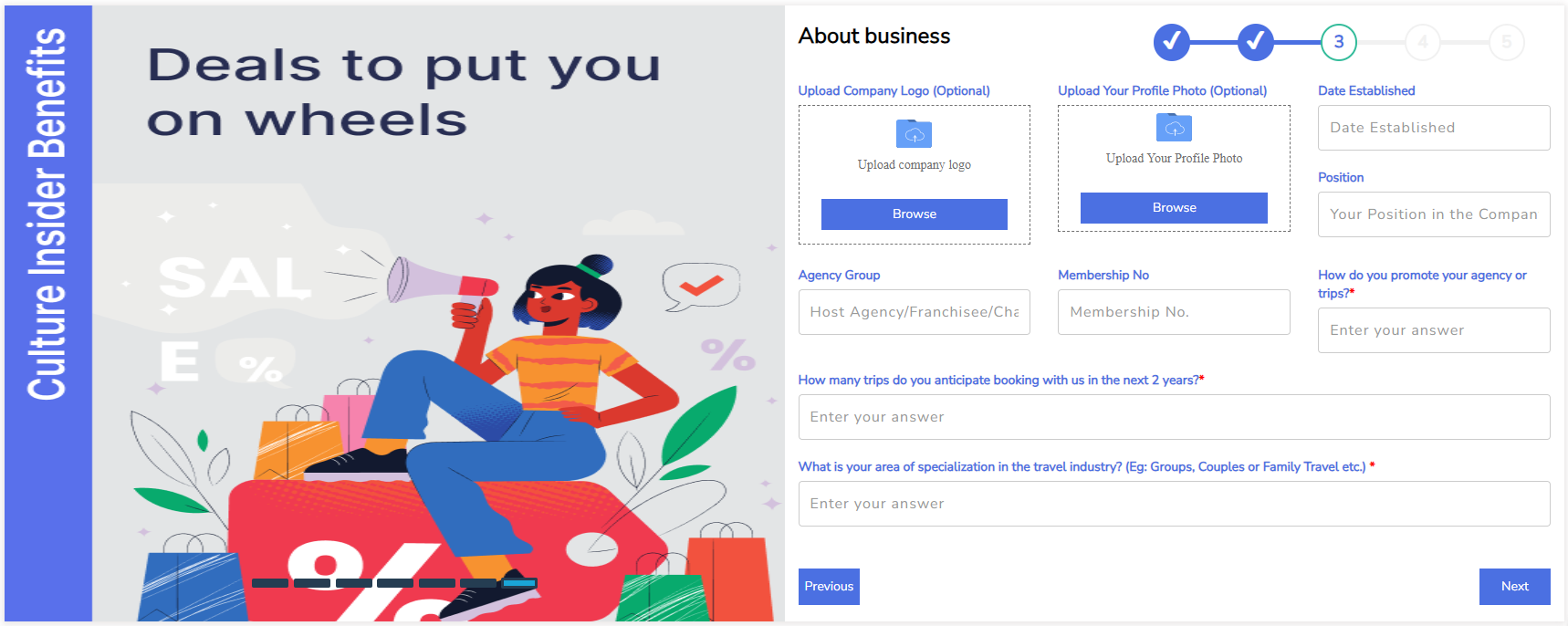
About Business
Click on the Browse button to upload your company logo and profile photo. This is optional. Enter the Date Established, position in the company, and agency group, and proceed further to answer questions- how will you promote your site, how many trips you
Step :- 8
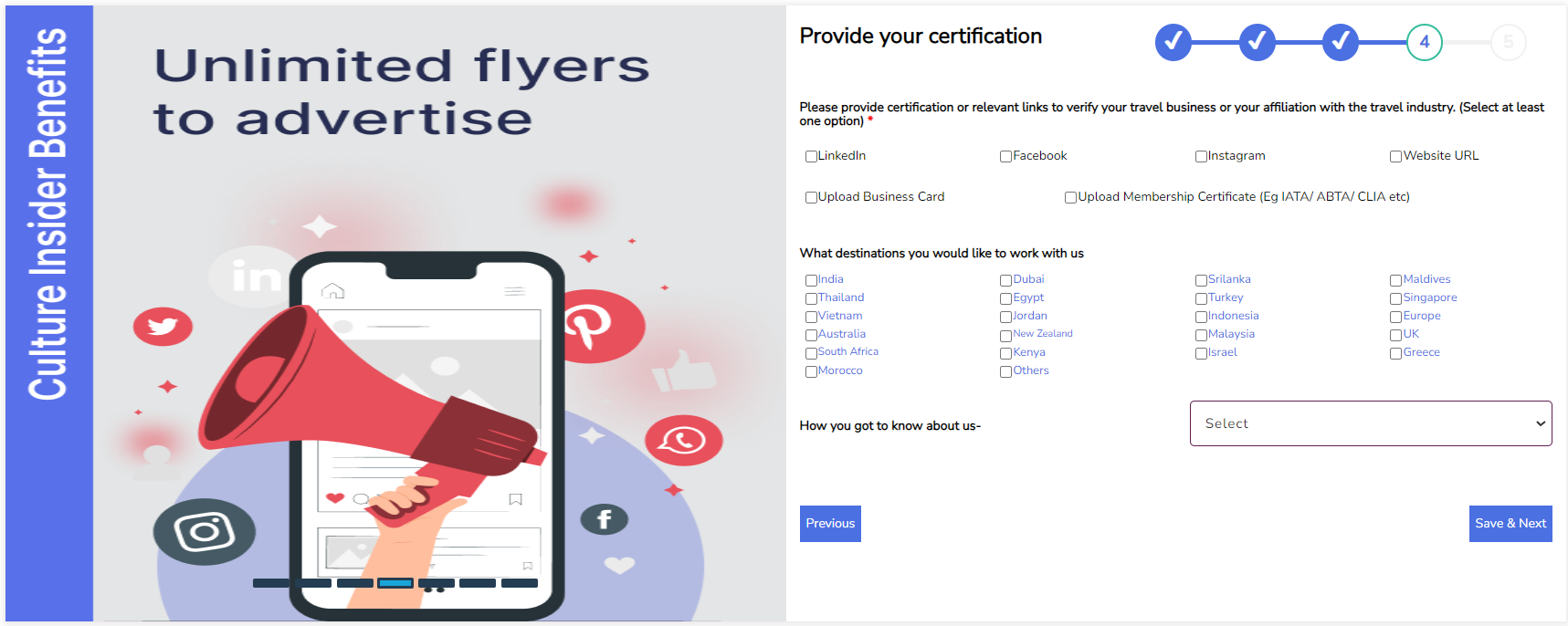
Provide Your Certification
Provide social media links and tick the column to select at least one option and complete the process. Provide certification or relevant links to verify your travel business. You can also upload a membership certificate if you have one. Now, select the d
Step :- 9
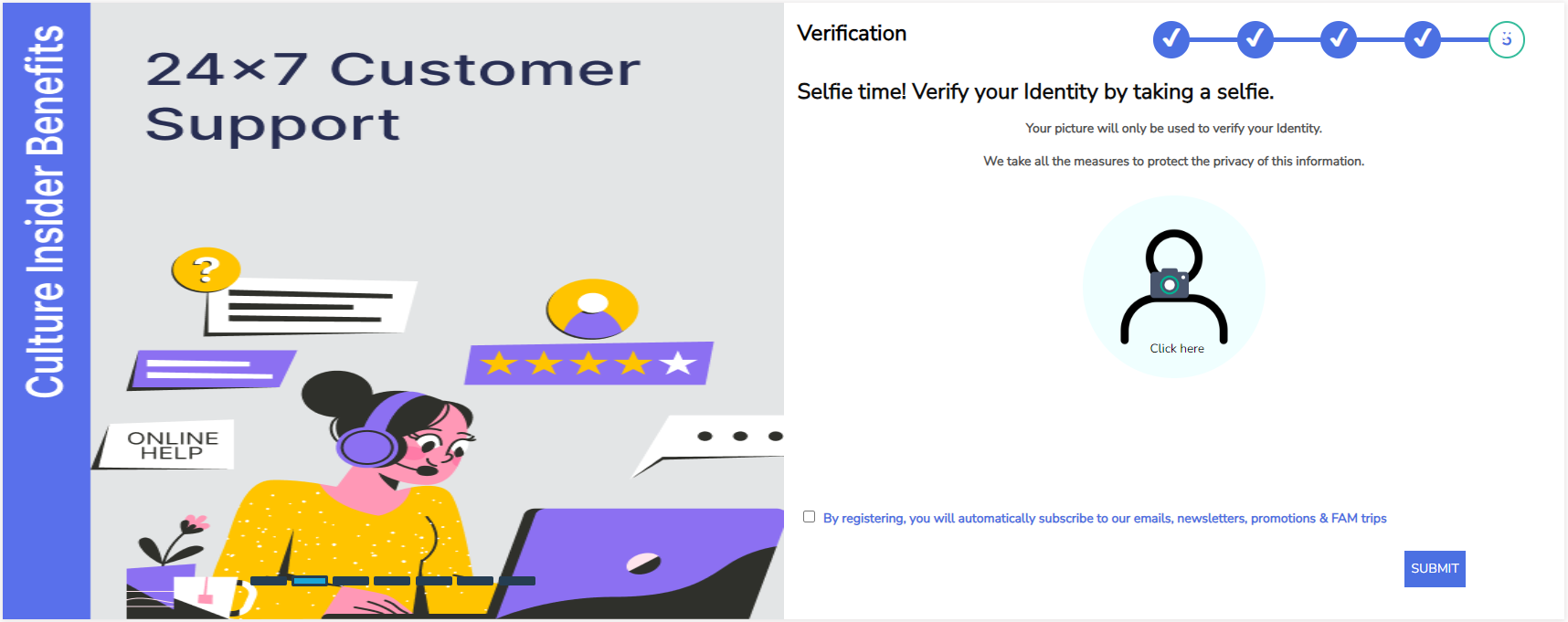
Picture Verification
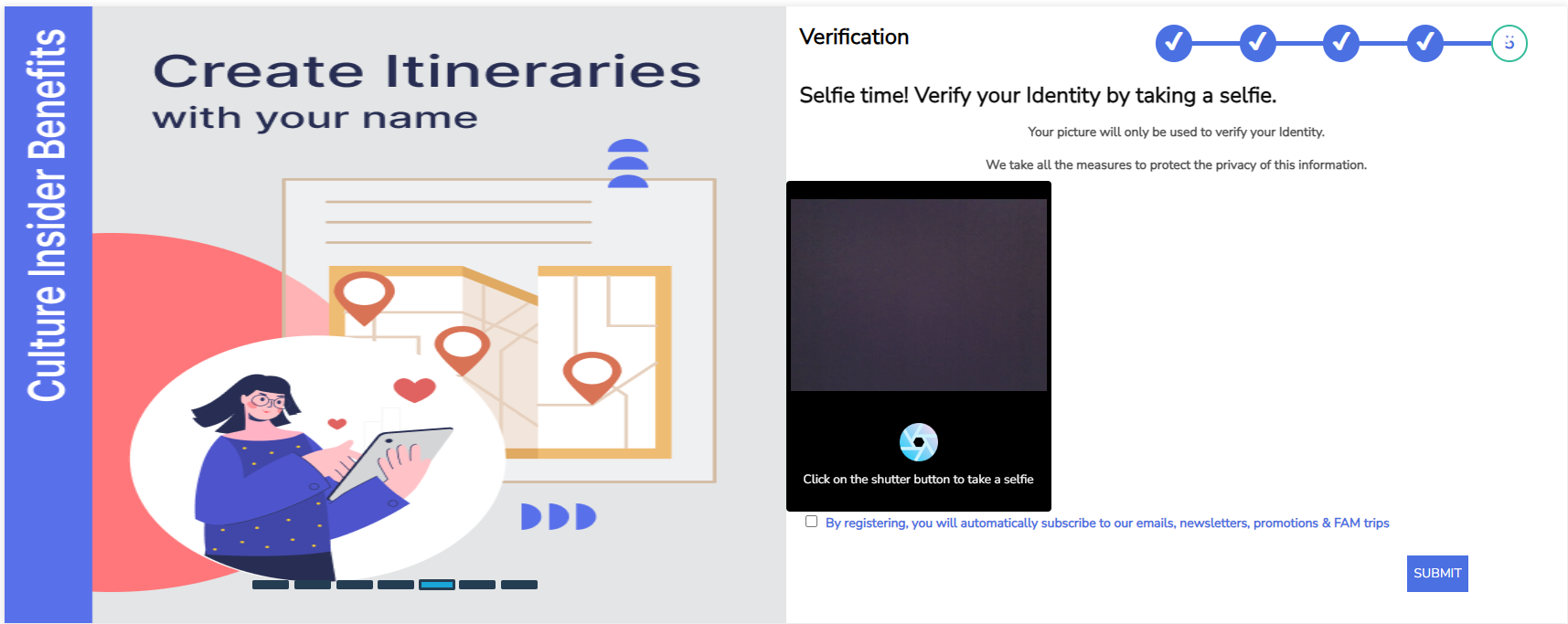
Click on the ‘Click Here’ button to take a selfie, tick the column below, and click on the ‘Submit’ button.
Step :- 10
.
Now, click on the shutter button to take a selfie and tick the column below. Now, click on the ‘Submit’ button and check your registered email for your login details.
Step :- 11
Check Your Email
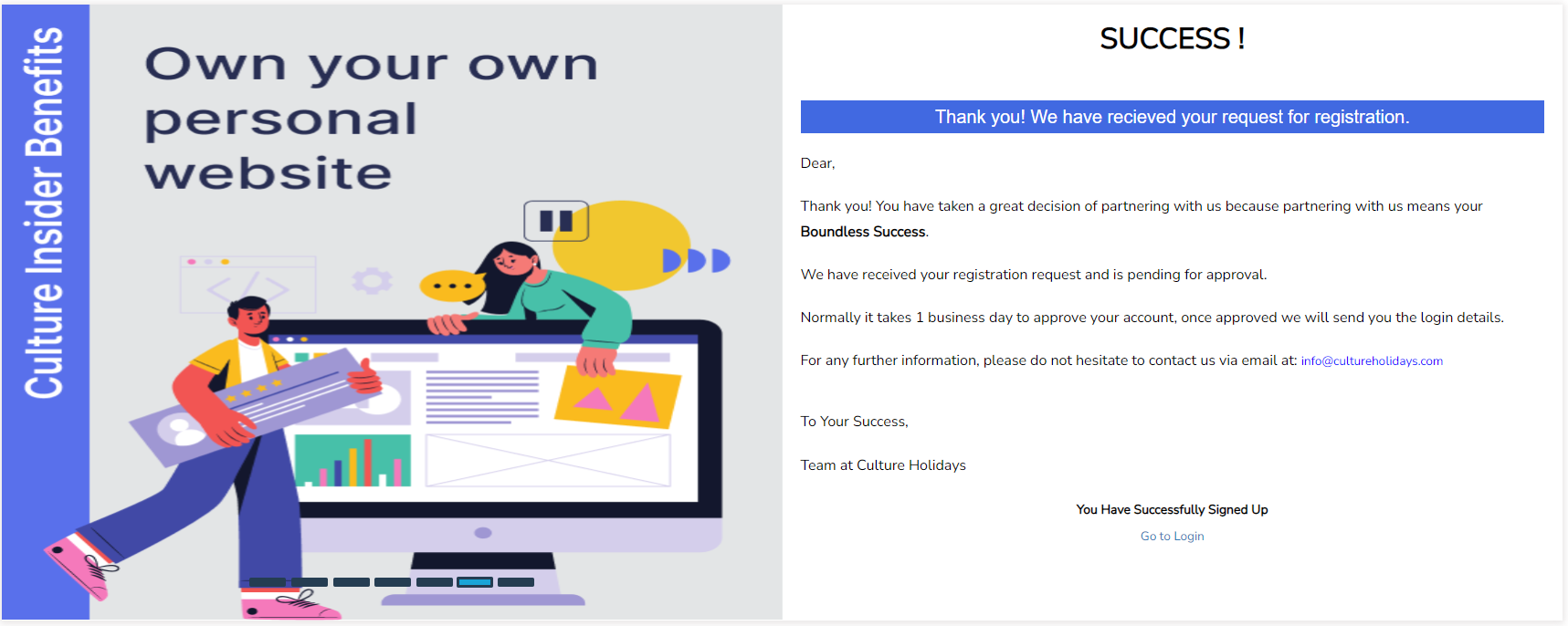
Now, check your registered email for your login details


 1 Adult
 0 Child